CC: BY SA
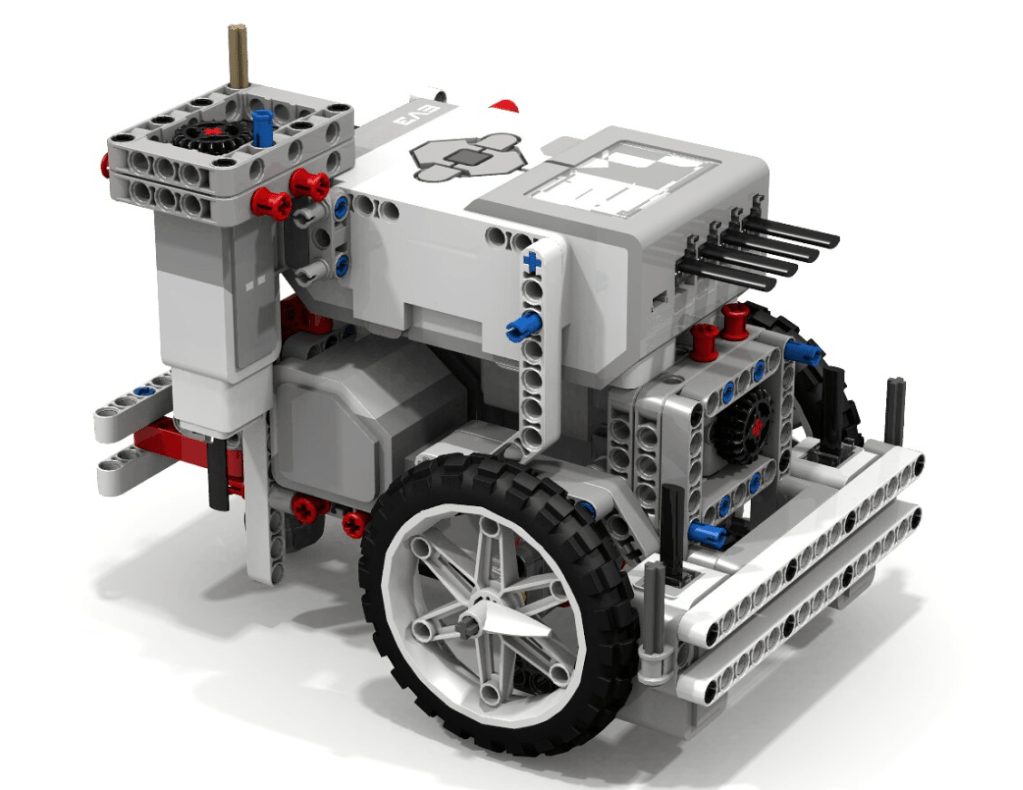
The LEGO Mindstorms EV3 brick is a programmable computer that makes it possible to control a range of motors, collect and process sensor feedback and program tasks. The system includes medium and large motors and an array of sensors that can be utilised to program both simple and complex operations.
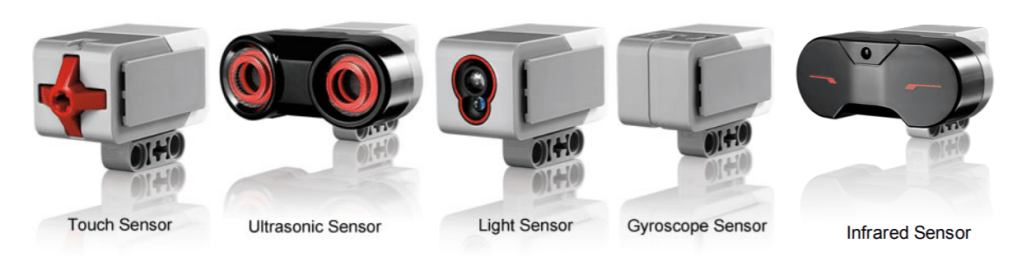
The strength of the Mindstorms line of products is in its versatility. Colour sensors, gyroscopes, touch sensors, ultrasonic sensors, infrared sensors and temperature sensors enable the user to experiment with the robot’s functions. It is built to be configured with all existing LEGO pieces, meaning that the shape, size and purpose of whatever robot you build is very dependent on the user’s vision.
CC: BY NC SA
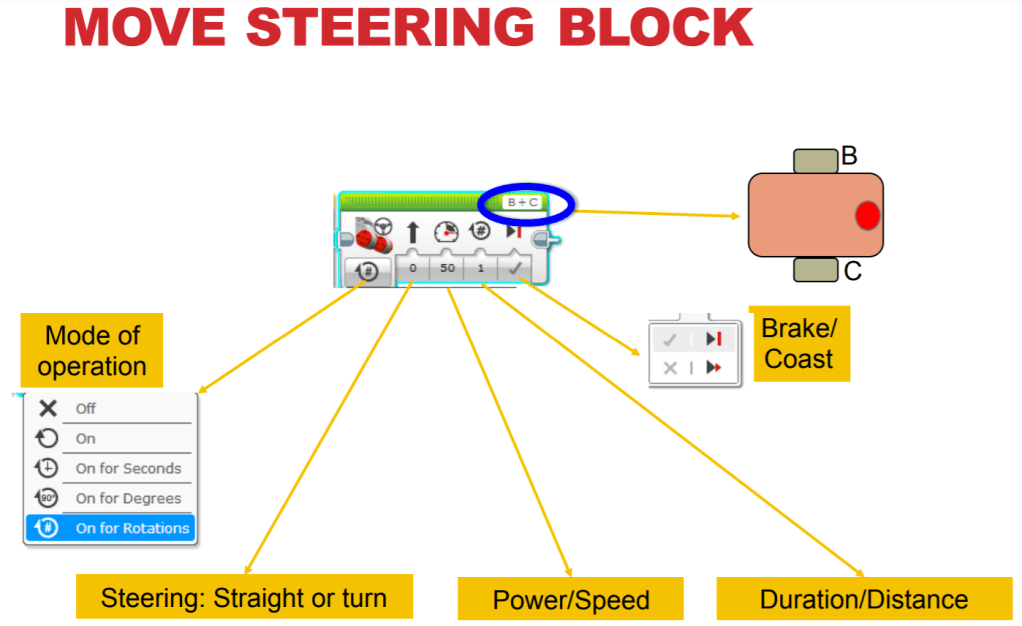
User’s reviews of the software are generally positive and the compatibility of the EV3 system with other LEGO products gives it a wide range of functions and compatible resources. However, the same users reported some limitations in the coding process such as some block values being restricted to a certain range and the simple speed settings of the motors. It is easy to see how the block style coding can quickly become visually overwhelming and confusing for a lot of students, although (Molins-Ruani, Gonzalez-Sacristan, Garcia-Saura, 2017) claims that the coding system is easy and intuitive to use. With proper instruction and visual aids students of the appropriate stage would be able to overcome these challenges.
There exists a plethora of online resources to accompany the EV3 system. EV3lessons.com provide a range of easy to use guides and tutorials designed help both students and teachers get the most out of the technology. From the absolute basics such as building the robot, learning to use its sensors and programming it to move in a straight line to far mor complex tasks, the tutorials provide concise instruction and helpful visual aids.
Motor programming UI 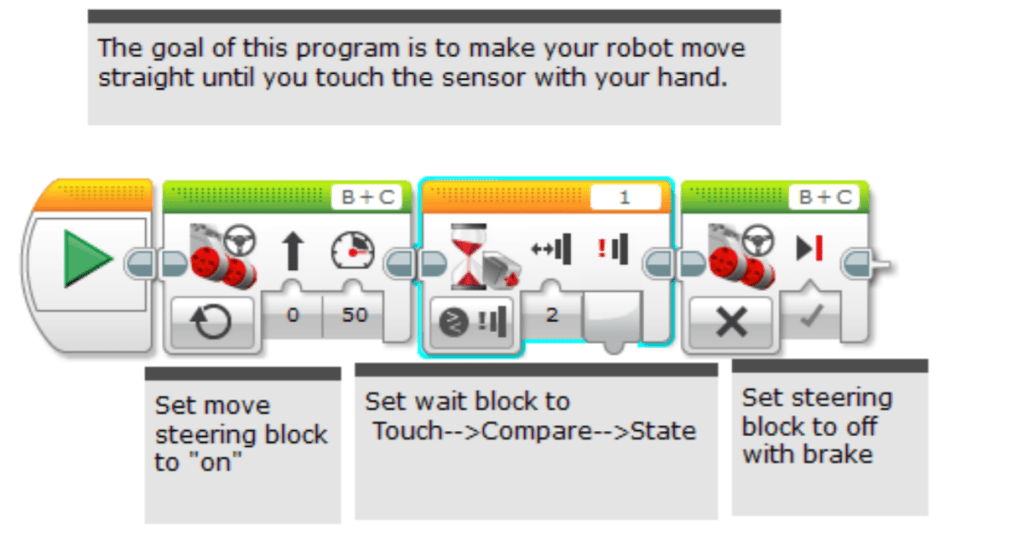
Using the touch sensor
CC: BY NC SA
The LEGO Mindstorms EV3 is probably the most complex of the classroom robotics technologies looked at in EDUC3620 and it’s use as an educational tool should reflect that. This product is not appropriate for any students younger than very late primary school and would see the best results in high school classrooms. While being a valuable tool for STEM subject areas it is difficult to see how this technology could be applied to other curriculum areas effectively.
References
Molins-Ruani, P., Gonzalez-Sacristan, C., Garcia-Saura, C. (2017). Phogo: A low cost, free and “maker” revisit to Logo. Computers in Human Behavior, 80, 428-440.
 EDUC3620 Digital Creativity and Learning ePortfolio
Hi Nathan,
I found your reference to the programming language being used for Lego Mindstorms EV3 very interesting. Remembering what my tutor at university said, many people find their programming language as developing bad habits for coding, not to mention the pictures being similar and thus confusing. However, I’ve also witnessed the app using this programming language to be extremely user friendly for many students in upper primary school. I know you’ve presented two arguments but I’m curious as to your own opinion. Do you think it’s a good thing that they’ve now introduced multiple programming languages to overcome these negative user comments?
Regards,
Miss Wilkes.
LikeLike
Hi Nathan,
Your blog post on Lego Mindstorms EV3 presents a beneficial technology to be used within the classroom. However, I believe that utilising this technology might teach students improper coding. Whilst I see the app and technology being user friendly to upper primary school, do you believe there are other potential emerging technologies that support student development in programming?
Hugh
LikeLike
Hi Nathan,
I enjoyed reading your blog post about Lego Mindstorm and the versatility in its application and how it can be linked to student education. I agree with your statement that Lego mindstorm is not suitable for the younger age brackets and more suited towards STEM subjects and higher age brackets. It would be interesting to compare the cost of Lego Mindstorm kits against school budgets as the prices for such kits and further accessories/parts are very pricey.
Very mint blog, well done.
LikeLike
Hi Nathan.
Your post is an excellent overview of the Lego Mindstorms EV3 product. I think that your point about the block coding potentially being confusing is good, looking at the images you provided it does seem awkward, that being said, as you mentioned there are a plethora of resources for EV3 so I expect that getting over the learning curve shouldn’t prove too difficult.
LikeLike